

Introduction
Starting a website begins with one important thing — choosing the right domain name.
If you are planning to create:
- A business website
- Blog
- Portfolio
- Ecommerce store
- Affiliate website
- Startup brand
then you first need a domain.
One of the most popular and beginner-friendly platforms in India for domain registration is BigRock.
In this guide, I’ll explain everything in a very simple and human-friendly way so that even a beginner can easily understand how to buy a domain from BigRock.
What is BigRock?
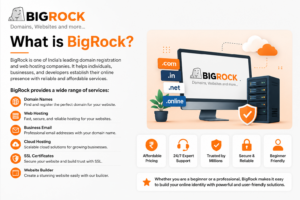
BigRock is an Indian domain registration and web hosting company.
It provides:
- Domain names
- Web hosting
- Business email
- Cloud hosting
- Website builder
- SSL certificates
- Professional email services
Official Website:
BigRock
Why People Use BigRock?
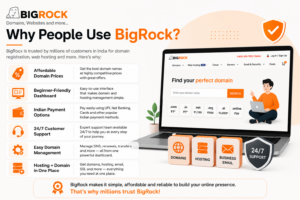
Here are some reasons why many beginners choose BigRock:
✅ Affordable domain prices
✅ Beginner-friendly dashboard
✅ Indian payment options
✅ 24/7 support
✅ Easy domain management
✅ Hosting + domain in one place
Things You Need Before Buying a Domain
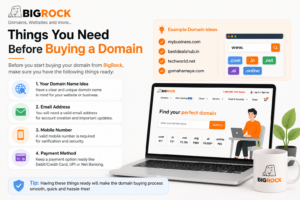
Before starting, keep these things ready:
- Your domain name idea
- Email address
- Mobile number
- Debit/Credit card, UPI, or Net Banking
Example domain ideas:
- mybusiness.com
- bestdealshub.in
- techworld.net
- gomahamaya.com
Step-by-Step Process to Buy a Domain from BigRock
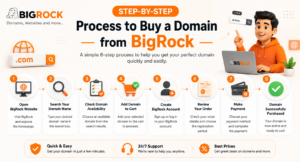
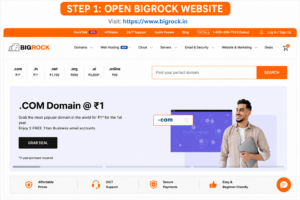
Step 1: Open BigRock Website
Visit:
BigRock
You will see a homepage like this.
At the top, you will find:
- Domains
- Hosting
- Cloud
- Deals
- Search Box
The search box is where you check domain availability.
Step 2: Search Your Domain Name
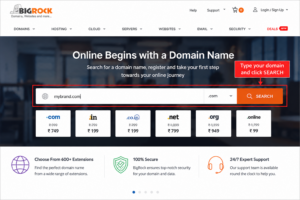
In the search bar:
Type your desired domain name.
Example:
- mybrand.com
- bigdealshub.in
- techworld.ai
Then click: BigRock
🔍 SEARCH
Step 3: Check Domain Availability
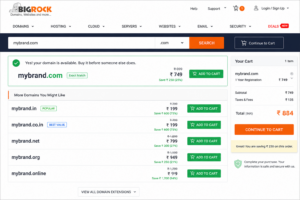
Now BigRock will show:
✅ Available Domains
❌ Already Taken Domains
If your domain is available:
- Click “Add” or “Buy”
If not available:
Try another extension like:
- .in
- .net
- .online
- .store
- .ai
Step 4: Add Domain to Cart
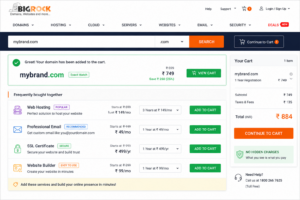
Once you select your domain:
Click:
🛒 Add to Cart
BigRock may also suggest:
- Hosting
- SSL
- Business Email
- Website Builder
If you only want the domain, you can skip extra services.
Step 5: Create BigRock Account
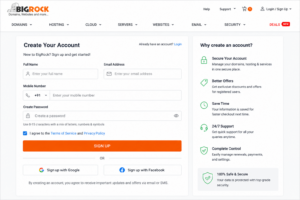
Now you need to:
- Sign Up
OR - Log In
Enter:
- Name
- Mobile Number
- Password
After verification, your account will be created.
Step 6: Review Your Order
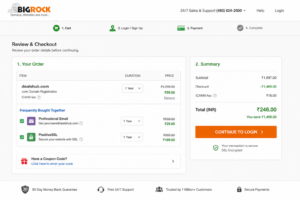
Now check:
- Domain name
- Registration years
- Total price
Sometimes BigRock offers:
- ₹1 domain offers
- Discount coupons
- Free business email
Always review the renewal price because renewal is usually higher than the first-year price.
Step 7: Make Payment
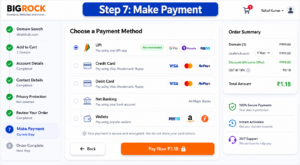
BigRock supports:
- UPI
- Credit Card
- Debit Card
- Net Banking
- Wallets
Choose your payment method and complete payment.
Step 8: Domain Successfully Purchased
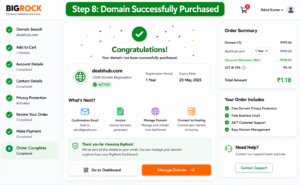
After successful payment:
🎉 Your domain becomes active.
You will receive:
- Confirmation email
- Invoice
- Domain details
You can manage everything from your BigRock dashboard.
How to Connect Domain with Hosting
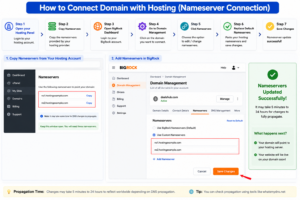
If you already have hosting:
- Open your hosting panel
- Copy Nameservers
- Open BigRock Dashboard
- Go to Domain Management
- Click Nameservers
- Replace default nameservers
- Save changes
Propagation may take:
- 5 minutes to 24 hours
How to Buy Hosting from BigRock
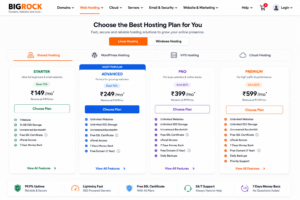
If you also need hosting:
- Click “Web Hosting”
- Choose a plan
- Select Linux or Windows hosting
- Connect your domain
- Complete payment
BigRock offers:
- Shared Hosting
- WordPress Hosting
- VPS
- Cloud Hosting
Tips Before Buying a Domain
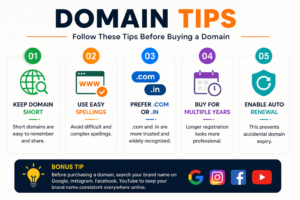
1. Keep Domain Short
Short names are easy to remember.
Good Example:
dealshub.com
Bad Example:
best-cheap-online-deals-store-2026.com
2. Use Easy Spellings
Avoid difficult spellings.
3. Prefer .com or .in
These are more trusted.
4. Buy for Multiple Years
Longer registration looks more professional.
5. Enable Auto Renewal
This prevents accidental domain expiry.
Advantages of BigRock

| Feature | Benefit |
|---|---|
| Affordable Pricing | Good for beginners |
| Indian Support | Easy communication |
| Easy Dashboard | Beginner-friendly |
| Hosting + Domain | All-in-one solution |
| Multiple Extensions | Many domain choices |
Disadvantages of BigRock
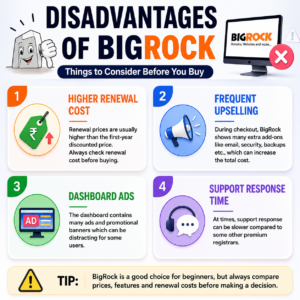
| Issue | Details |
|---|---|
| Renewal Cost | Higher after first year |
| Upselling | Many extra offers shown |
| Dashboard Ads | Sometimes distracting |
Best Domain Extensions to Buy
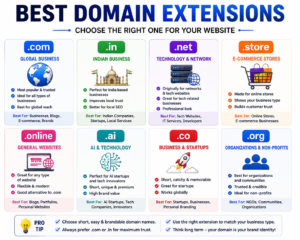
| Extension | Best For |
|---|---|
| .com | Global business |
| .in | Indian business |
| .net | Tech websites |
| .store | Ecommerce |
| .online | General websites |
| .ai | AI startups |
Frequently Asked Questions (FAQs)
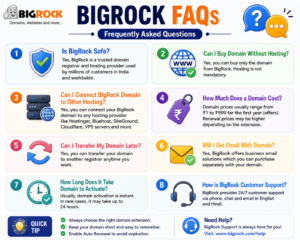
Is BigRock Safe?
Yes, BigRock is a trusted domain registrar used by many users in India.
Can I Buy Domain Without Hosting?
Yes. You can buy only the domain.
Can I Connect BigRock Domain to Other Hosting?
Yes. You can connect it with:
- Hostinger
- Bluehost
- SiteGround
- Cloudflare
- VPS servers
How Much Does a Domain Cost?
Usually:
- ₹1 to ₹999 for first year offers
- Renewal may cost more
Can I Transfer My Domain Later?
Yes. You can transfer your domain to another registrar.
Final Thoughts
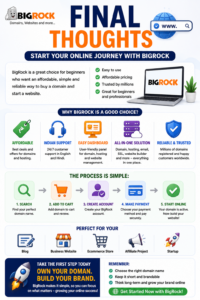
BigRock is a good option for beginners who want an affordable and simple way to buy a domain and start a website.
If you are starting your first:
- Blog
- Business website
- Ecommerce store
- Affiliate project
- Startup
then BigRock can be a great starting point.
The process is simple:
- Search domain
- Add to cart
- Create account
- Pay
- Start your website
That’s it.
Useful Links
BigRock Official Website
Domain Search Page
Web Hosting
Support Center
Bonus Tip
Before purchasing a domain:
Search your brand name on:
- YouTube
This helps you keep the same brand name everywhere online.